IATA accreditation for travel agencies: a step-by-step guide
What IATA accreditation lets your agency do, which model fits, the documents you need, how to apply step by step, and what changes once you settle through BSP.

Why visa desks break on spreadsheets and WhatsApp, what good visa processing software should do, how to price visa services and how to roll it out in 30 days.
Visa processing software for travel agencies turns every application into a tracked file: the right checklist for the country and visa type, the documents received, the person responsible, the next date and the money involved. If your visa desk still runs on a spreadsheet, a shared phone and a pile of paper folders, software will not change the embassy's rules, but it will stop the avoidable mistakes that cost you refusals, refunds and customers.
This guide is for owners and managers of travel agencies and visa consultancies in Bangladesh, the Gulf, Malaysia, Indonesia, the UK and the USA. It explains why visa desks break as they grow, maps the visa application lifecycle as a process, and lists what good visa management software should do. It then covers data protection, pricing and profit, sub-agents, a 30-day rollout plan and the questions to ask a vendor.
The short answer. If your agency handles more than a handful of visa files a week, or more than one person works on them, you need a system that holds requirements, documents, stages, dates and fees in one place. A spreadsheet can list files, but it cannot remind anyone, check a document or update a customer.
Most visa desks start the same way. One experienced officer knows the requirements by heart, keeps a spreadsheet of open files and talks to customers on WhatsApp. It works while volumes are small. It starts to fail when the season gets busy, a second branch opens or that officer goes on leave.
Missing documents. The checklist lives in someone's head or in an old message. A bank statement is a month too old, a photo is the wrong size or an invitation letter is missing a signature, and nobody notices until the file is at the counter or has already been refused.
Status calls. Customers cannot see where their application is, so they call, message and visit. Each call takes a staff member away from real work, and the answer is often a guess because the spreadsheet was not updated.
Deadlines. Appointment dates, travel dates, passport validity and document expiry dates are scattered across a diary, a spreadsheet and chat threads. One missed date can mean a lost appointment slot or a trip that cannot go ahead.
Fees and refunds. Embassy fees, visa centre charges, courier costs and your own service charge are collected in different ways and recorded in different places. When a file is refused or cancelled, nobody is sure what was paid to whom, what can be refunded and what the agency actually earned.
Staff turnover. When an officer leaves, their knowledge leaves with them. The next person inherits a spreadsheet with cryptic notes, a phone full of customer chats and no record of what was promised.
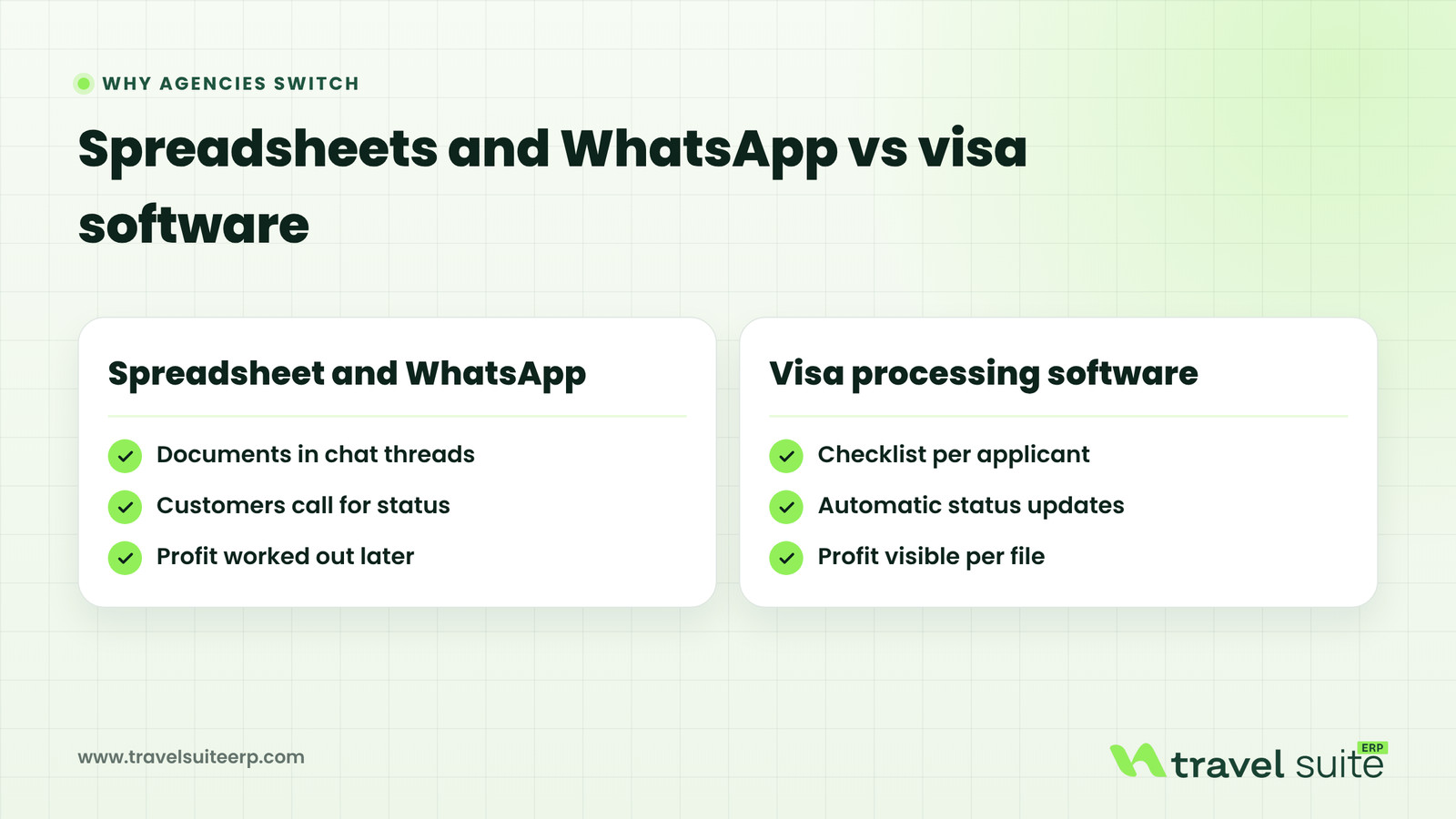
| Area | Spreadsheet and WhatsApp | Visa processing software |
|---|---|---|
| Documents | Documents in chat threads | Checklist per applicant |
| Status | Customers call for status | Automatic status updates |
| Profit | Profit worked out later | Profit visible per file |
Related guideWhatsApp for travel agencies: how to turn chats into bookings
Before you choose any visa application tracking system, write down how a file moves through your office today. Almost every visa service, whether a tourist visa, a student visa or an Umrah visa, follows the same six stages. The details change by country and visa type, but the shape does not.
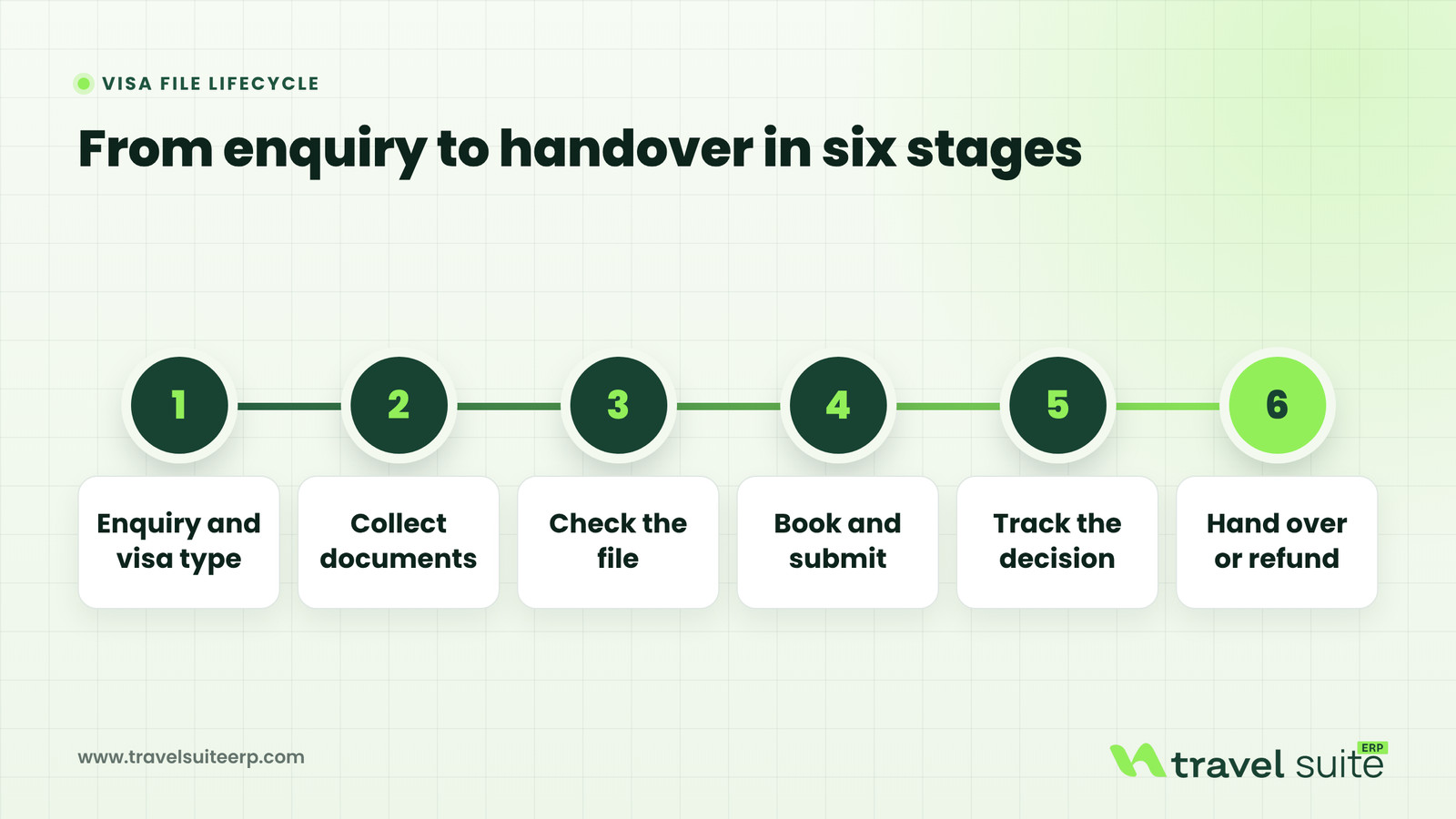
Two things run underneath every stage: dates and money. Each stage has a deadline, and each stage may involve a payment, either from the customer to you or from you to an embassy, visa centre or courier. Good software keeps both on the file, not in a separate diary and a separate ledger.
Requirements change. Embassies and official visa portals change their document lists, fees and processing times often, sometimes with little notice. Treat any requirement list, including the one in your software, as something you check against the official source before each season and whenever a customer's case is unusual.
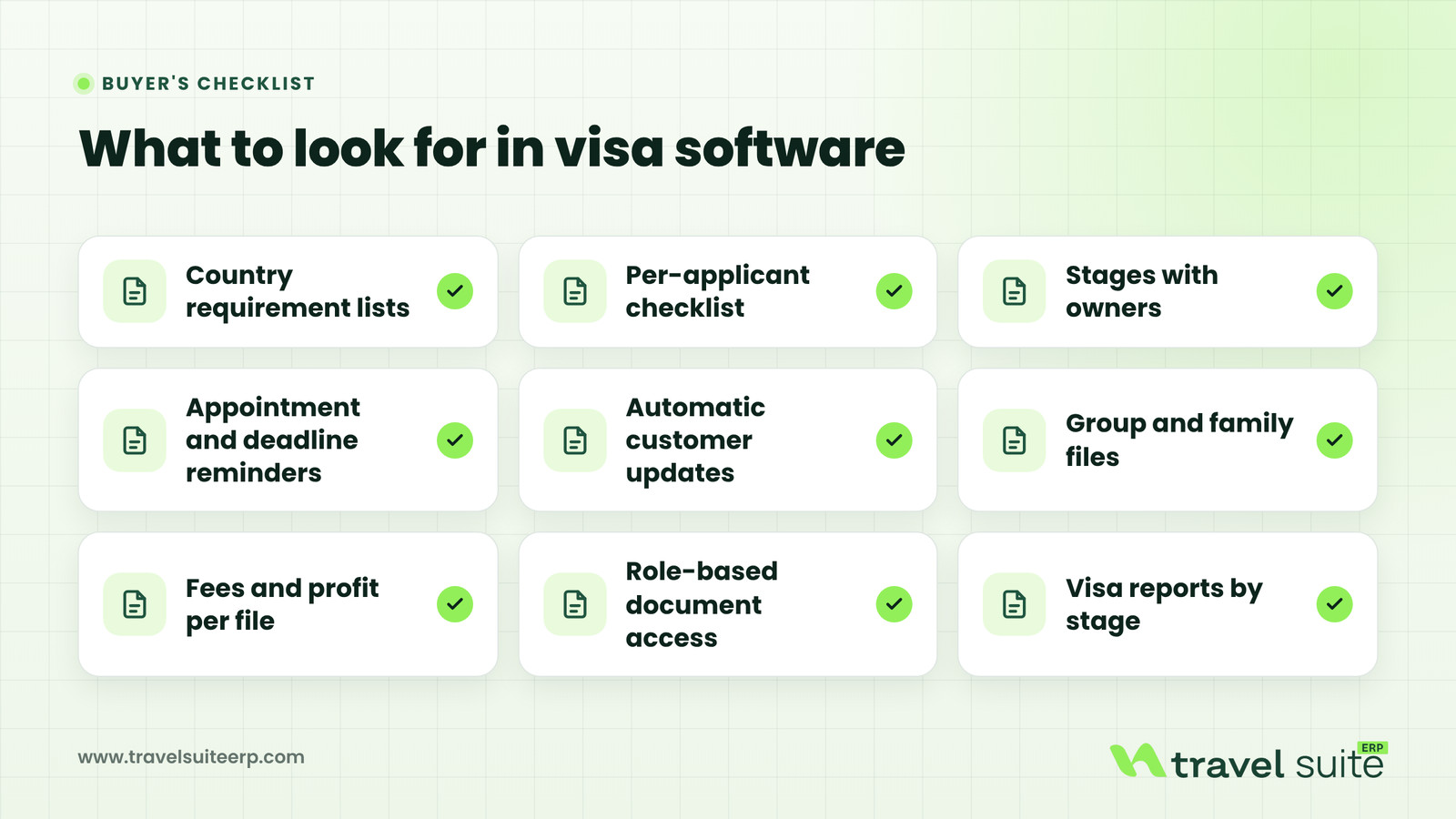
Visa consultancy software is not just a list of files with a status column. It should hold the knowledge your best officer carries in their head and make it available to every staff member, on every file. Here is what to look for.
Set up the document list, the fees and the stages once for each country and visa type, such as tourist, business, student, work, family or Umrah. When staff open a new file, they choose the country and visa type and the right checklist loads automatically. When the embassy changes a requirement, you update it once and every new file follows.
A visa document checklist should belong to each applicant, not to the whole file. Each item needs a status: requested, received, rejected or approved, with a note on why a document was rejected. Applicants should be able to upload documents online through a secure link, so your team is not saving attachments from chat threads to a shared folder.
Every file should show its current stage and the staff member responsible for it. Embassy appointment tracking matters just as much: appointment, biometrics and submission dates belong on the file, with reminders for staff and applicants. Deadline and passport expiry alerts stop a file from stalling quietly in the background.
When a file moves to a new stage, the customer should hear about it without a staff member typing a message. SMS, email and WhatsApp updates cut status calls and make your agency look organised. A short, clear message works best.
Hello, your visa file has moved to Submitted. Your appointment reference is on your file, and we will message you as soon as there is a decision.
Families, students travelling together and corporate groups should sit under one file, sharing common documents such as an invitation letter, while each person's documents and status are tracked separately. The applicant's profile should connect to your visa CRM, so the same customer's passport details, past applications and bookings are visible the next time they enquire.
Each file should record the fees you pass through, your service charge and your costs, so profit is visible per file, per country and per staff member. Reports should show files by stage and by officer, approval and refusal rates, and revenue by country. Without this, you only learn which visa services pay at the end of the month, if at all.
A visa desk handles some of the most sensitive data a travel agency ever sees: passport scans, national ID cards, bank statements, salary letters, family records and sometimes medical or travel history. Losing control of it can harm your customers and your agency. Software helps, but only if you set it up with care.
This section is general information, not legal advice. Data-protection rules differ between Bangladesh, the Gulf states, Malaysia, Indonesia, the UK and the USA, and they change. Check your country's data-protection law and regulator, or speak to a qualified adviser, before you set your policies.
Many agencies underprice visa services because the large numbers on the invoice are not theirs. Government visa fees and visa centre charges pass straight through to the authority or its contractor. Your real income is the service charge, and your real costs are the staff time, couriers, photos, printing and the files that go wrong.
Show the two parts separately on the quotation and the invoice. Customers understand the difference between a fee the embassy sets and a fee for your work, and it makes refund conversations much easier when a file is refused or cancelled.
| Item | Who receives it | Example amount |
|---|---|---|
| Government visa fee | Embassy or authority, passed through | $80 |
| Visa centre service fee | Visa application centre, passed through | $25 |
| Courier and photos | Your suppliers, your cost | $10 |
| Your service charge | Your agency, your income | $40 |
| Total charged to the customer | Customer pays | $155 |
Example data. These amounts are invented for illustration and are not real fees for any country. Check the embassy or the official visa portal for current fees, which change often.
In this example the agency collects $155, but only $40 is its own income, and $10 of that goes on courier and photos. The gross profit on the file is $30 before staff time. If the officer spends three hours chasing documents, that file may lose money. Software that posts each part to your accounts shows this per file, so you can see which countries, visa types and staff members actually earn.
Refunds. Whether a government or visa centre fee can be refunded depends on that authority's rules, so check them before you promise anything. Put your own refund terms for the service charge in writing at the start, and record every refund against the file so your accounts stay accurate.
Related guideSales are not profit: how to read your travel agency profit and loss
Many visa consultancies earn a large share of their files from smaller agencies that do not run their own visa desk. These sub-agents collect documents from their customers and pass the files on. Without a system, that means more WhatsApp groups, more lost attachments and arguments about who owes what.
A B2B setup should let a partner agent submit an application for their customer, see the requirements and fees for each country, track every file they sent and see their statement and commission. On your side, each file should show which agent it came from, so you can see which partners bring good files and which bring problems. Agree in writing who is responsible for checking documents and who speaks to the applicant.
Related guideB2B travel agent commission: tracking sales from booking to payout
You do not need to move every country and every old file on day one. A focused month gets your busiest visa services running in the new system, with the rest following once the team trusts it.
Days 1 to 7: map and decide. List your top countries and visa types by volume. Write down your stages, who owns each one and what the customer is told at each step. Agree your service charges, refund terms and document retention rules.
Days 8 to 14: set up requirements. Enter the requirement lists, fees and stages for your top services, checked against the official sources. Create staff users with the right roles, and write the status messages customers will receive.
Days 15 to 21: train and pilot. Train every officer on real files. Run new files for one or two countries in the system while the old spreadsheet stays read-only for existing files. Fix the checklists and messages that confuse people.
Days 22 to 30: go live and review. Move all new files into the system and stop adding rows to the spreadsheet. At the end of the month, review files by stage, missed dates, status calls and profit per file, and add the next group of countries.
Related guideChecklist: how to choose the right travel ERP for your agency
A demo always looks tidy. Bring one of your own difficult files, such as a family of five with a sponsor, and ask the vendor to walk it through from enquiry to handover. Then ask these questions.
Related guideTravel agency software: the complete buyer's guide for 2027
TravelSuite ERP includes a Visa Processing module built around the lifecycle in this guide. Each country and visa type has its own requirement list, fees and stages. Each applicant has a document checklist, applicants can upload documents through a secure link or your website, and staff mark each item as received or rejected.
Application stages are assigned to responsible staff, and embassy or visa centre appointment, biometrics and submission dates are scheduled on the file with reminders. Status changes send SMS, email or WhatsApp updates automatically. Group and family applications share common documents while each person's status is tracked separately, and passport collection and return are tracked too.
Visa fees, service charges and costs post to accounts, so profit is visible per file, country, visa type and staff member, and the module has its own report pages. Documents are stored on the applicant's file with role-based access. Partner agents can submit applications for their customers, see fees and requirements per country and track their files.
To cut typing, Document Intelligence reads passports, national ID cards and driving licences with OCR and proposes values for the visa form, which staff review before applying. It runs on your own server with English, Bangla or combined recognition. The CRM keeps each applicant's history, and the omnichannel inbox brings WhatsApp, Messenger and Instagram chats into one shared inbox linked to the CRM.
TravelSuite ERP is sold as a one-time lifetime license with lifetime updates: Starter at $599, Growth at $799 and Business at $1,499, with Enterprise on a custom contract. Starter includes any two booking modules, Growth includes all of them, and Business adds B2B agents with commission and payouts. Every plan includes setup and training.
Related guideHow to digitize your Hajj & Umrah agency before the next season
If your visa desk is ready to move off spreadsheets, talk to our team. We will walk one of your real visa files through TravelSuite ERP and help you choose the plan that fits your agency.
It is software that manages each visa application as a tracked file. It holds the requirement list for the country and visa type, a document checklist for each applicant, the stages and the staff responsible, appointment and submission dates, customer status updates and the fees involved. It replaces the mix of spreadsheets, paper folders and chat threads most visa desks start with, so any staff member can pick up any file and know what happens next.
No software should be your final source for visa rules. Requirements, fees and processing times are set by each embassy or authority and change often. Good software lets you store your own requirement lists per country and visa type and update them in one place. Check those lists against the embassy or official visa portal before each season and whenever a case is unusual, and record the date you last checked.
When staff move a file to a new stage, the system sends the customer an update by SMS, email or WhatsApp. Customers know their file is submitted, waiting for a decision or ready to collect without phoning the office. The updates only work if staff change the stage on time, so make stage updates part of every officer's daily routine and check files that have not moved for several days.
Separate the fees you pass through, such as the government visa fee and the visa application centre fee, from your own service charge. Show both on the quotation and the invoice. Your service charge has to cover staff time, couriers, photos and the files that go wrong, so track profit per file. Put your refund terms for the service charge in writing before you take payment, and check the authority's rules on refunds for its own fees.
Keep documents on the applicant's file in one system rather than on personal phones or open shared folders. Limit access by role, remove access when staff leave, decide how long you keep each document type and tell applicants how their data is used and shared. Rules differ by country, so check your local data-protection law or speak to a qualified adviser. This is general information, not legal advice.
A focused rollout takes about a month. Spend the first week mapping stages, owners and charges, the second setting up requirement lists for your busiest countries, the third training staff and piloting on new files, and the fourth moving all new files into the system. Leave old files in the spreadsheet as read-only and add further countries once the team is comfortable with the new way of working.

The TravelSuite team builds travel booking and ERP software for agencies in Bangladesh, Malaysia, the GCC and the USA.
Book a free 30-minute walkthrough with our team.
 Guides
What IATA accreditation lets your agency do, which model fits, the documents you need, how to apply step by step, and what changes once you settle through BSP.
 Guides
How to get airline content into your booking system: direct GDS, a consolidator's API or NDC, what each needs, and how tickets should reach your accounts.
 Guides
What travel agency software does, which features matter for your type of agency, how pricing works, and how to run a fair evaluation and a calm migration.
Book a free walkthrough or message our team on WhatsApp.
 Need help?Chat on WhatsApp